

Common actions
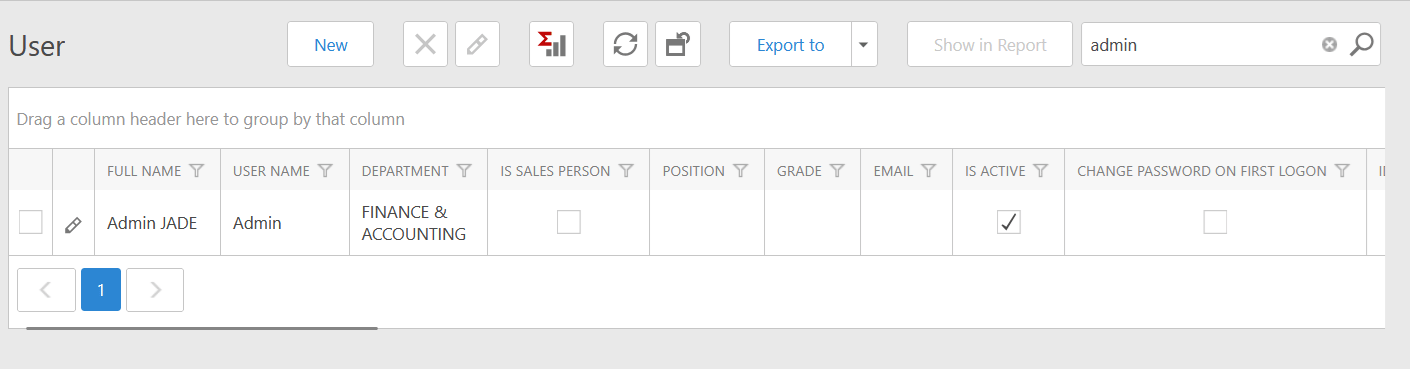
The screenshot is from an earlier interface version. Current v26.1 styling may differ, but the list-and-detail pattern remains the same.
Work with a list
1
Open a menu item
Select the menu group, then the required submenu. The list shows only records permitted for your role and data scope.
2
Search or filter
Use the search box for broad matching. Use a column filter for a specific field. Clear old filters when expected records are missing.
3
Sort or group
Select a column header to sort. Where enabled, drag a column to the grouping area to organize records by status, customer, branch, or another field.
4
Open the record
Select the row or edit icon. Review the header, tabs, related lists, status, and available actions before making changes.
Enter a record safely
- Search before creating master data to prevent duplicates.
- Complete fields marked with an asterisk before saving.
- Confirm office or branch, date, customer/vendor, job, currency, exchange rate, amount, and reference.
- Add required supporting files before submitting for approval.
- Refresh after another user approves or posts a linked transaction.
- Avoid simultaneous editing of the same record.